
For church, corporate and volunteer AVFor bands and the engineer behind them
Mic in. Feedback out.Howls get bounced.
Anti-Feedbackinator is a Mac app that sits between your mics and your speakers. Measure the room once, press ON, and it cuts a howl as it starts. The voice keeps its body.A bank of 8 classic notches per input that park on a howl and hold. They only park where the room's measured loop can ring. No lookahead, no added delay, and every cut in Hz.
$100 once Updates included.
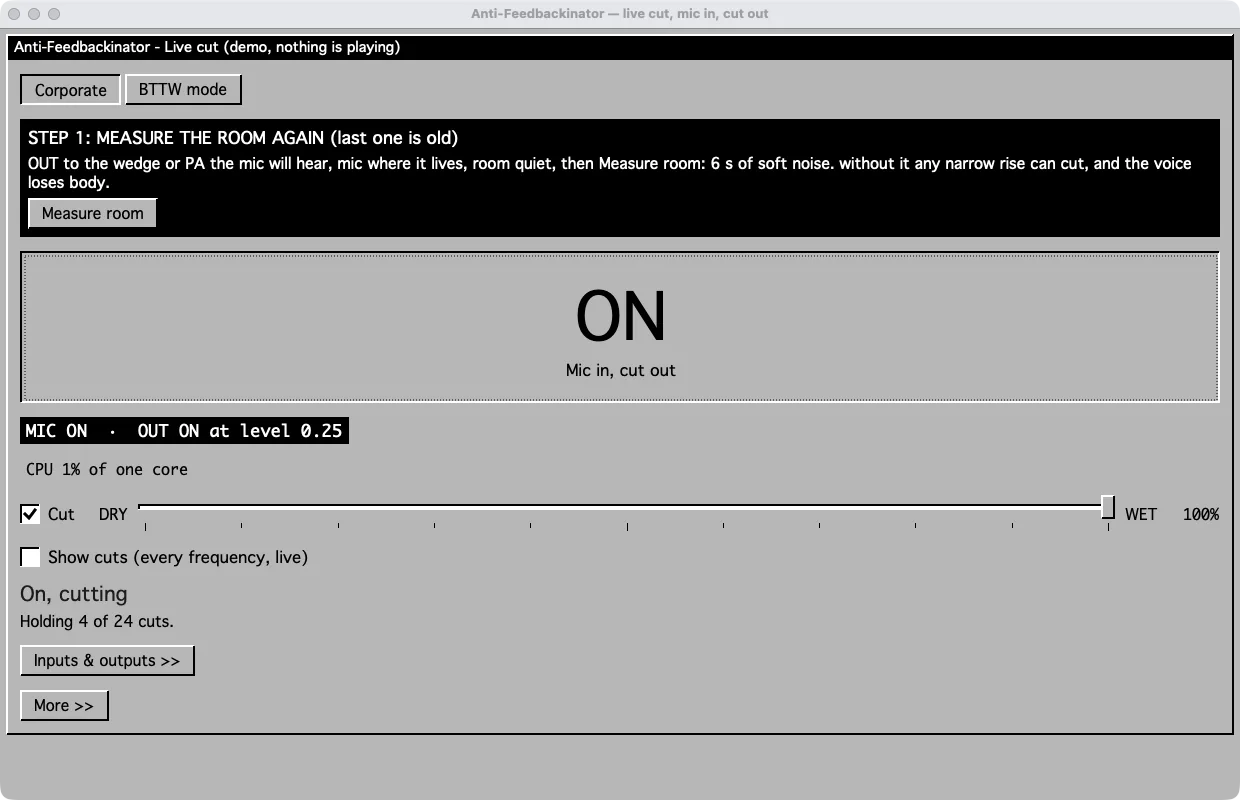
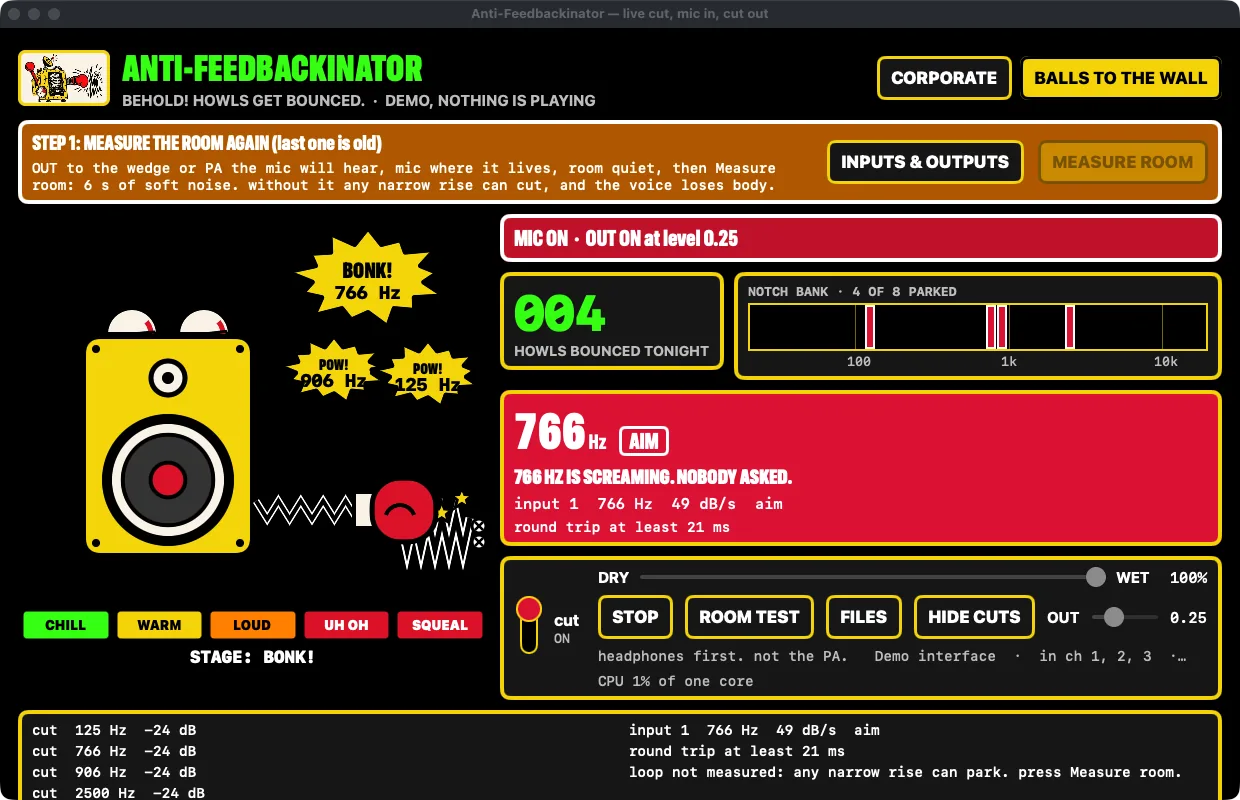
Someone walks past a speaker.766 Hz is screaming. Nobody asked.
Today
A lav mic drifts in front of the wedge, it howls, and the whole room turns around to look at you.The singer leans toward the wedge, one note takes off, and you're grabbing at the graphic EQ while the front row covers their ears.
With Anti-Feedbackinator
It hears the howl start and cuts that one note. Only where your room can actually ring, so the voice still sounds like a voice.A notch parks on 766 Hz, holds while it's needed, and lets go ten seconds after the last howl. You see the number.
How does it work?
- 01
Measure the room
Mic where it lives, room quiet, press Measure room. Six seconds of soft noise and it knows where this room can ring. It asks again after 12 hours.
- 02
Pick inputs and outputs
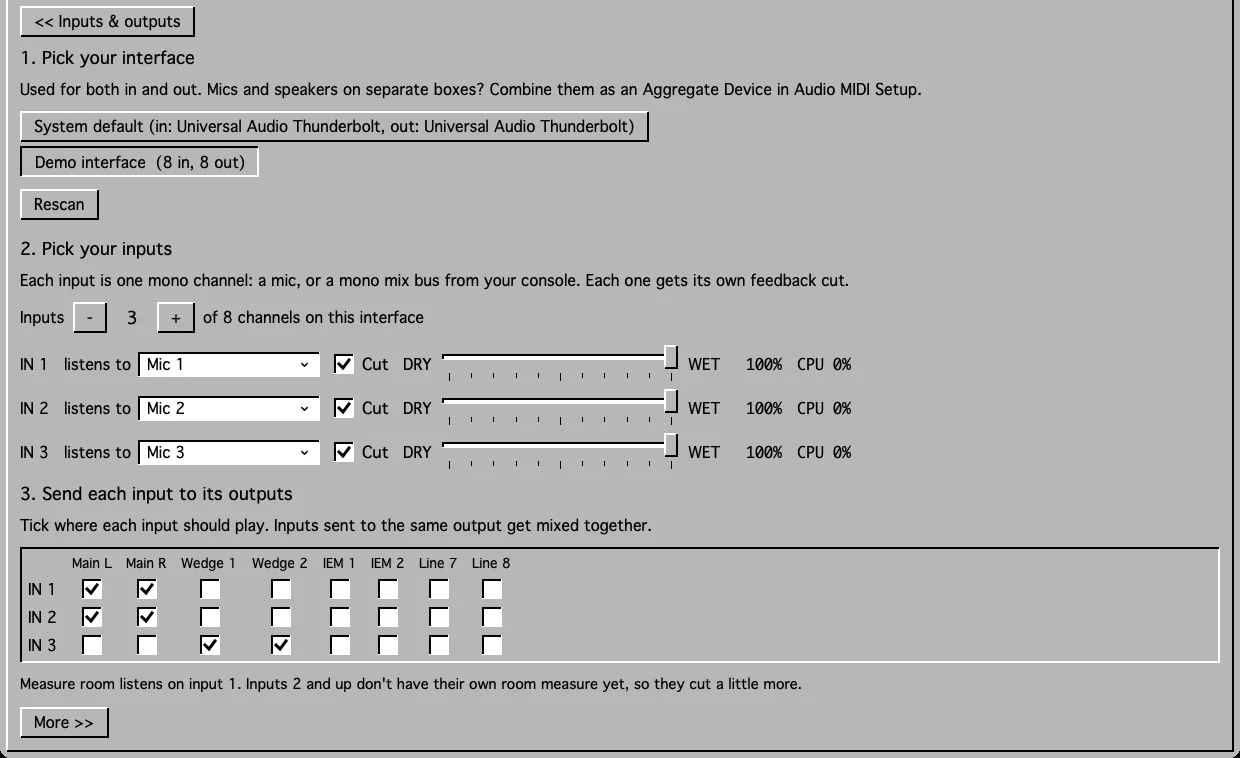
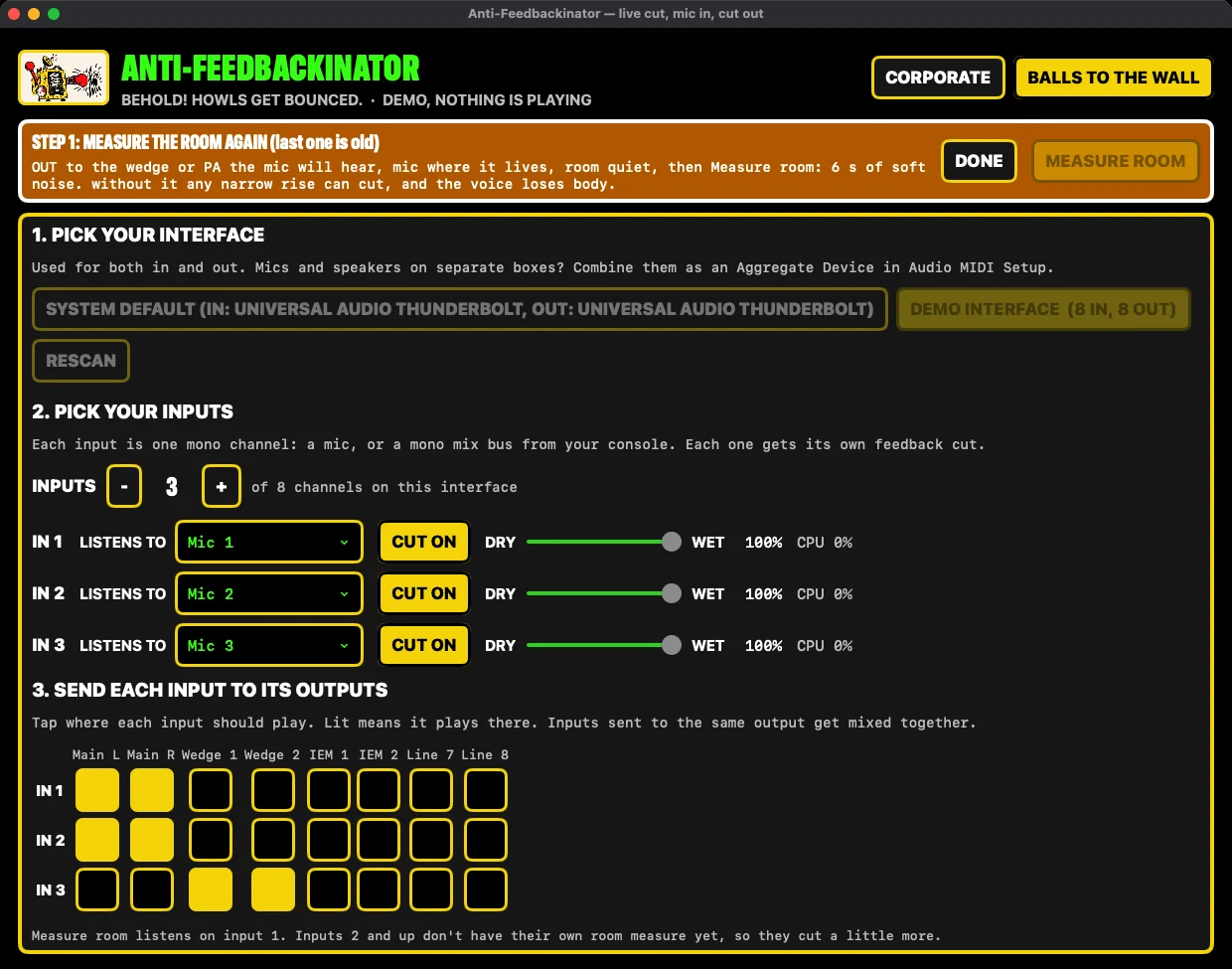
Choose your audio interface, which mics come in, and which speakers each one plays through. It's tick boxes.
- 03
Press ON
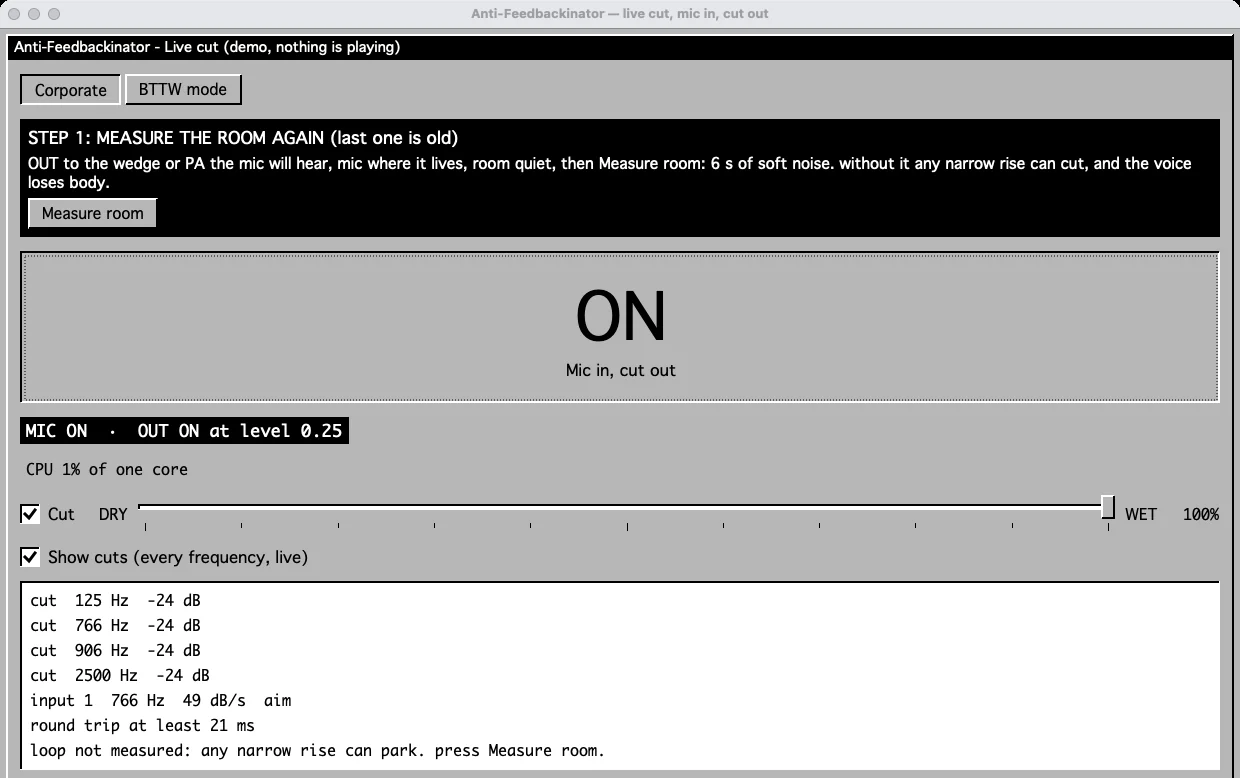
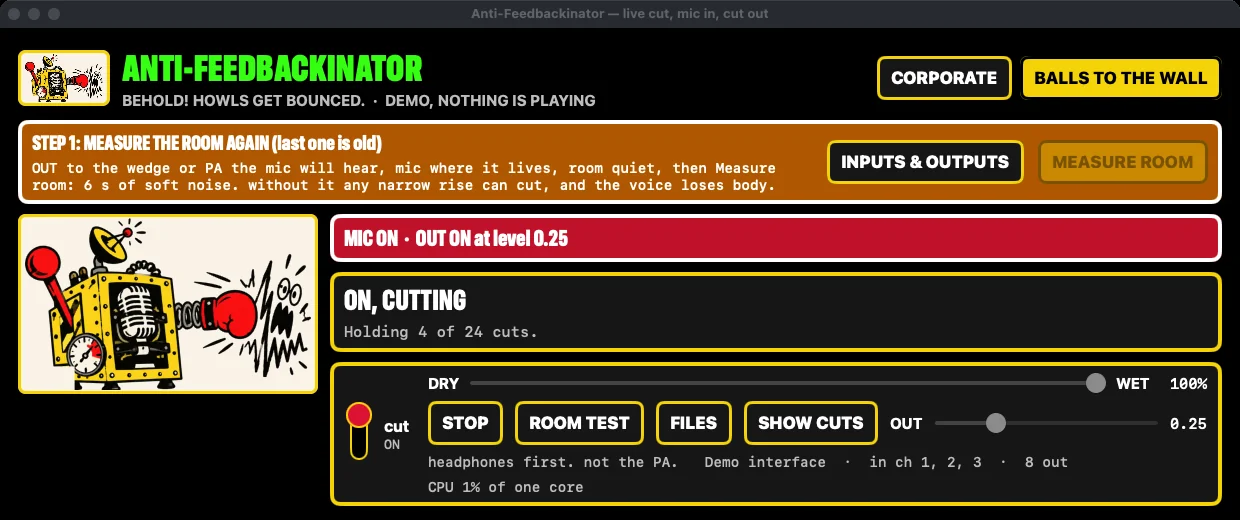
That's the job. It cuts when a howl starts and lets go ten seconds after it's gone. Tick Show cuts to watch it work, or leave it off and just see ON.
- 01
Measure the room
Mic where it lives, wedge on, room quiet. Measure room plays 6 s of soft noise and maps the loop, so notches only park where this mic and this speaker can ring. Stale after 12 h.
- 02
Pick inputs and outputs
1 to 10 mono inputs, mics or mono buses, each with its own bank. Tick the patch grid to send any input to any output.
- 03
ON
Hit ON and turn on Show cuts. Every notch in Hz, the round trip measured on your Mac, and a counter of howls bounced tonight.
What do you need?What it needs
| Need | What that means |
|---|---|
| A Mac | Apple silicon, macOS 14 or later |
| An audio interface | The one your mics already plug into |
| Headphones | For the first try. Not the PA. |
| Six quiet seconds | To measure the room before people walk in |
| Need | Spec |
|---|---|
| Mac | Apple silicon, macOS 14 or later |
| Interface | Any one the Mac sees. In and out on separate boxes? Make an Aggregate Device. |
| Inputs | 1 to 10 mono channels |
| Rates | 44.1, 48 or 96 kHz |
| Added delay | None. No lookahead. |
| First run | Headphones. Not the PA. |
What do you get?
- The Mac app, yours for good
- One ON button, plus a dry/wet slider to hear what it's doing
- Up to 10 mics, each with its own cut
- Updates included. It checks once a day and tells you when one is out
- A person to write to if you get stuck
- The Mac app, yours for good
- 8 notches per input, -24 dB each, parked only where the room can ring
- 1 to 10 inputs and a patch grid to any output
- Dry/wet, so you can hear exactly what the cut takes
- Updates included. It checks once a day
Who isn't it for?
- Anyone shopping for AI. It isn't. It listens for a note that keeps getting louder and cuts that note
- A room nobody has rung out. It catches what gets past a good setup. It doesn't replace one
- Windows PCs and Intel Macs
- A setup with no audio interface
- Anyone shopping for AI. It finds a note that keeps climbing and notches it. That's the trick
- A room nobody rang out. It's a backstop, not your system tuning
- Windows and Intel Macs
- A rig with no audio interface
What does Anti-Feedbackinator cost?
Questions
Is it AI?
No. It listens for one note that keeps getting louder, then puts a narrow cut on that note. The kind of cut you'd set by hand on an EQ, found for you.
Will it make people sound thin?
Not if you measure the room first. Then it only cuts where the room can ring and leaves the rest of the voice alone. Skip the measure and it cuts more, and the app tells you so.
Does it replace ringing out the room?
No. Ring out the room, set your gain, put the speakers in the right place. This catches what still gets through on the day.
Why headphones first?
So your first try isn't on a full room. Send the output to headphones, learn how it behaves, then put it on the PA.
The Mac won't open it the first time.
It isn't signed with Apple, so your Mac blocks it the first time. Go to System Settings, then Privacy & Security, and click Open Anyway. You only do this once.
How do updates work?
It checks once a day and tells you when there's a new version. There's also an Updates button. Updates are free.
What happens after I buy?
Stripe sends the receipt. The download link follows by email a few minutes later. It works five times within 7 days. Stuck? Reply to that email.
Is it AI?
No. It looks for a narrow tone that keeps getting louder at one frequency, with no stack of harmonics above it. That's a howl. It parks a classic notch on it.
How deep, how many, how long?
Up to 8 notches per input, -24 dB each. A parked notch holds ten seconds after the last howl it caught.
Does it add latency?
No added delay. Every 4 ms it listens to the last 32 ms and cuts the samples after, with no lookahead. The round trip on screen is your interface, measured on your Mac.
What about inputs 2 to 10?
Measure room listens on input 1. Inputs 2 and up don't have their own room measure yet, so they cut a little more. The setup screen says so.
What does dry/wet do?
100% wet is the full cut. Pull it down to hear what the cut takes. It's for listening, not a gentler setting: at 50% a -24 dB notch cuts about 5.5 dB.
The Mac won't open it the first time.
It's unsigned. System Settings, Privacy & Security, Open Anyway. Once.
What happens after I buy?
Stripe sends the receipt. The download link follows by email, good for five downloads in 7 days. Updates come through the app's own check.
Measure the room. Press ON.Bounce the next one.
$100 once. Updates included. No subscription.
Buy Anti-Feedbackinator →